
Microsoft Copilot for Excel Workshops
Build practical Copilot skills around the way your teams actually use Excel.
Kogniser delivers company-specific workshops that help teams use Copilot in Excel for analysis, formulas, reporting and day-to-day business tasks. Each session is shaped around your organisation’s roles, workflows, experience levels and Microsoft 365 environment.

Microsoft 365
Enterprise learning
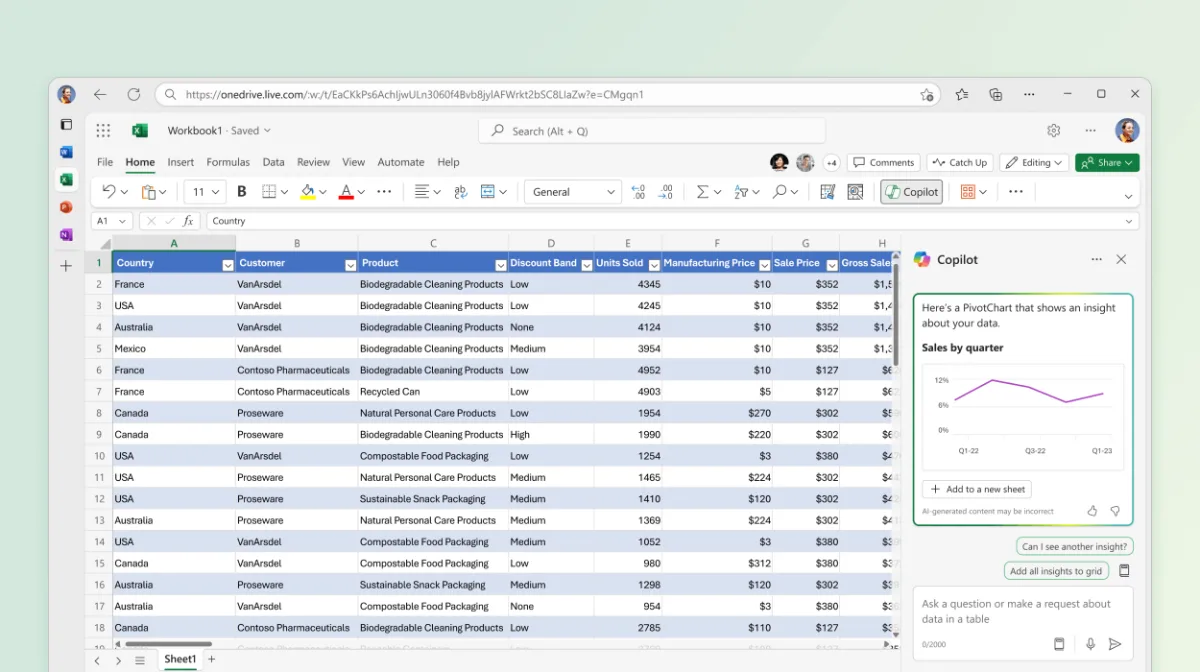

Move Beyond Generic Copilot Demonstrations
Adoption becomes meaningful when teams can apply Copilot to their own work.
A standard product overview may show what Copilot can do, but it rarely addresses how finance, operations, sales or management teams work with spreadsheets in practice. Kogniser workshops connect Copilot capabilities with the reporting tasks, data structures and recurring Excel challenges your teams already manage.
Discuss your training needsReal Workflows
Build the session around the spreadsheet tasks, reports and decisions that matter to your teams.
Team-Specific Learning
Adapt examples, terminology and exercises to each function and level of Excel experience.
Responsible Adoption
Include practical guidance on validation, data handling, user judgement and organisational policies.
Workshop Scope
Practical learning focused on everyday Excel work.
The final agenda is tailored to your organisation, but workshops can cover the following areas through guided demonstrations, exercises and team-specific business scenarios.
Prompting for Excel
Learn how to write clear prompts, add the right context and refine requests when the first result is not sufficient.
Formulas & Calculations
Generate, explain and improve formulas while understanding how to check logic, references and outputs.
Data Analysis
Use Copilot to explore data, summarise results and identify trends, patterns, variances and unusual values.
Charts, PivotTables & Reporting
Turn spreadsheet data into clearer visualisations, summaries and management-ready reporting outputs.
Data Preparation
Organise, format, filter and validate data so that Copilot can work with a clearer and more reliable spreadsheet structure.
Validation & Responsible Use
Review AI-generated outputs critically and apply appropriate checks before using them in business decisions or reports.
Workshop content is confirmed against your Microsoft 365 environment, licensing, rollout status and participant needs. Available Copilot capabilities may vary by licence, platform and organisational configuration.
Tailored to Different Teams and Business Functions
The same Copilot feature can create different value across different roles.
We adapt workshop examples and exercises to the decisions, reports and recurring spreadsheet tasks handled by each participating team.
Plan team-specific sessionsFinance
Variance analysis, recurring calculations, management summaries, forecasting support and financial reporting workflows.
Operations
Operational tracking, capacity analysis, exception identification, recurring reports and performance monitoring.
Sales & Commercial Teams
Pipeline analysis, sales performance summaries, customer segmentation and target-versus-actual reporting.
People, HR & Management
Workforce reporting, survey analysis, planning data and clear summaries for management decision-making.
How We Build Your Workshop
A structured approach from business needs to practical learning.
We prepare each engagement around the organisation, the audience and the outcomes expected from Copilot adoption.
Discover
We review your audience, current Excel use, Microsoft 365 setup, objectives and priority business scenarios.
Design
We define the agenda, level of difficulty, examples, exercises and responsible-use guidance for each team.
Deliver
We run an interactive session with demonstrations, guided practice, questions and role-relevant scenarios.
Embed
We provide agreed learning materials and can support follow-up sessions, use-case refinement or wider adoption planning.
Flexible Workshop Formats
Choose the level of depth that fits your adoption goals.
Sessions can be delivered online or in person and adapted for leadership groups, individual business functions or cross-functional teams.
Discuss the right formatExecutive Briefing
A focused introduction for leaders covering business value, practical use cases, adoption considerations and responsible use.
Team Workshop
An interactive session combining demonstrations, guided exercises and team-specific examples for practical skill building.
Applied Use-Case Lab
A deeper working session focused on selected spreadsheet scenarios, prompt patterns and repeatable ways of working.
Plan a Microsoft Copilot for Excel Workshop for Your Teams
Tell us how your teams use Excel, where they lose time and what you want Copilot adoption to achieve. We will shape the workshop around your organisation.
Plan your workshop